
From smartphones to gaming monitors to 8K televisions, screen resolution is one of the most talked-about display specs in tech. But what does it actually mean? And why does it matter so much for your daily digital experience?
Whether you’re buying a new device or just curious about display technology, this article breaks down screen resolution in a clear, modern, tech-friendly way.


What Is Screen Resolution?
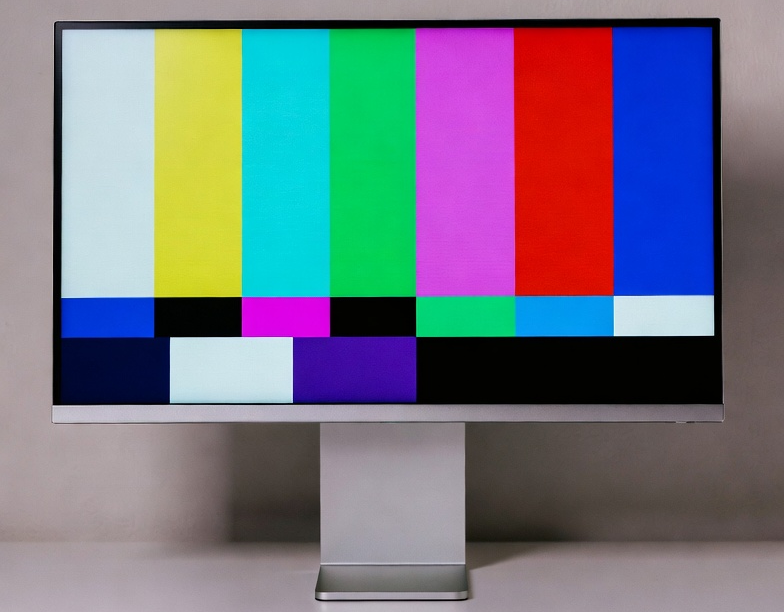
Screen resolution represents the number of pixels — tiny dots of light — that a display uses to create an image.
It’s written as:
Horizontal Pixels × Vertical Pixels
Example: 1920 × 1080 (Full HD)
- 1920 pixels across
- 1080 pixels down
Every pixel acts like a building block. The more blocks you have, the more detailed and sharper the final picture.
If you don’t know what your current display resolution is, you can easily find it using this free online tool.
Why Screen Resolution Matters
1. Clarity and Sharpness
More pixels = more detail.
A higher resolution reduces:
- jagged edges
- blurry text
- pixelated images
This is why 4K looks noticeably cleaner than 1080p — it packs four times the pixel count.
2. More Workspace on Your Screen
Resolution isn’t just about clarity. It also affects how much information you see at once.
- At 1080p, you might fit only one or two windows.
- At 1440p or 4K, you can easily arrange multiple apps side by side.
For developers, editors, designers, and multitaskers, this is a productivity game-changer.
3. Better Movies, Games, and Media
A higher resolution enhances:
- gaming textures
- video sharpness
- photo detail
- immersive visuals
If you’re into Netflix, YouTube, gaming, or content creation, resolution directly affects your experience.
4. Reduces Eye Strain
Sharper text and cleaner edges are easier on your eyes — especially if you spend hours reading or working.
Common Screen Resolutions
| Resolution Name | Pixels | Common Devices |
|---|---|---|
| 720p (HD) | 1280 × 720 | Budget phones, older TVs |
| 1080p (Full HD) | 1920 × 1080 | Standard monitors, laptops |
| 1440p (QHD / 2K) | 2560 × 1440 | Gaming monitors, flagships |
| 4K (UHD) | 3840 × 2160 | TVs, high-end monitors |
| 8K | 7680 × 4320 | Premium TVs, pro work |
| Mobile High-DPI | Varies (1080 × 2400 etc.) | Modern smartphones |
Resolution vs. Pixel Density (PPI)
Here’s where it gets interesting.
Two screens can have the same resolution, but look totally different.
Why? Because of pixel density, measured as PPI (pixels per inch).
- A 1080p smartphone (6-inch) may be extremely sharp.
- A 1080p 32-inch monitor can look soft or blurry.
Higher PPI = tighter pixel packing = sharper image.
Resolution vs. Screen Size
A bigger screen needs more pixels to maintain clarity.
For example:
- 1080p looks great on 24″ monitors.
- On 32″, it starts to look stretched.
- 4K is ideal for larger screens and TVs.
Resolution vs. Refresh Rate
These two are often confused.
- Resolution = image clarity
- Refresh Rate (Hz) = motion smoothness
Gamers love 120Hz/144Hz because it feels fluid — but high refresh rates require more GPU power when paired with high resolution.
Aspect Ratio Also Matters
Common ratios:
- 16:9 — standard monitors & TVs
- 21:9 — ultrawide (great for multitasking & gaming)
- 3:2 — popular on productivity laptops
- 16:10 — tall screens with more vertical space
Aspect ratio changes how the resolution “feels” in real use.
Which Resolution Should You Choose?
Here are quick recommendations:
For General Use (Office, Browsing)
- 1080p or 1440p: Enough clarity without heavy GPU requirements.
For Gamers
- 1440p = sweet spot
- 4K for high-end GPUs and cinematic visuals
For Designers & Video Editors
- 4K mandatory for accurate detail
For Smartphones
- 1080p or higher: Modern devices often use tall resolutions like 1080 × 2400.
For TVs
- 4K is now the standard
Final Thoughts
Screen resolution affects almost every part of your digital experience — from how crisp a movie looks to how easily you can multitask. While it’s not the only factor in display quality, it’s one of the most important to understand.
When choosing your next device, consider:
- resolution
- pixel density (PPI)
- screen size
- refresh rate
- aspect ratio
Together, these determine how sharp, smooth, and immersive your screen will feel.